 BookShelves
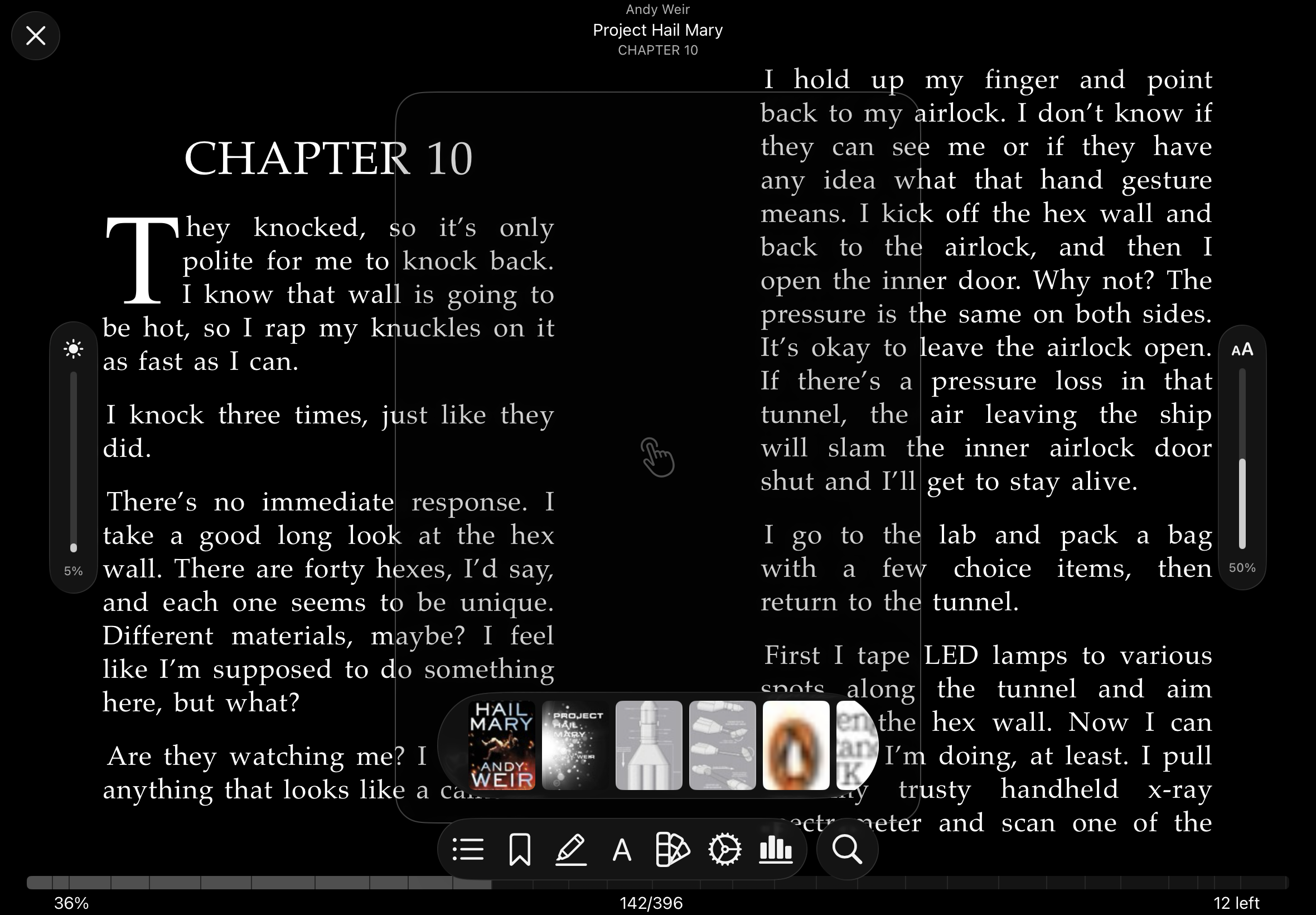
Drag up on the left edge to increase brightness and inversely drag down to decrease brightness
Likewise drag up on right edge to increase font size and drag down to decrease font size
The JustRead app has this feature (pic attached)
Drag up on the left edge to increase brightness and inversely drag down to decrease brightness
Likewise drag up on right edge to increase font size and drag down to decrease font size
The JustRead app has this feature (pic attached)
1 person liked this
Thank you for the suggestion and the reference screenshot!
Currently BookShelves does not have edge-swipe gestures for brightness or font size. Font size can be adjusted through the Aa appearance panel. On iOS, tap the center of the screen to show controls, then tap the menu button and select the Aa option. On Mac, use Cmd+Shift+A or the Aa toolbar button (also Cmd+ and Cmd- as keyboard shortcuts).
There is no in-app brightness control. That is handled through the system (Control Center on iOS, display settings on Mac).
I've noted the edge-gesture idea as a feature request. It's an interesting approach for quick adjustments while reading.