 BookShelves
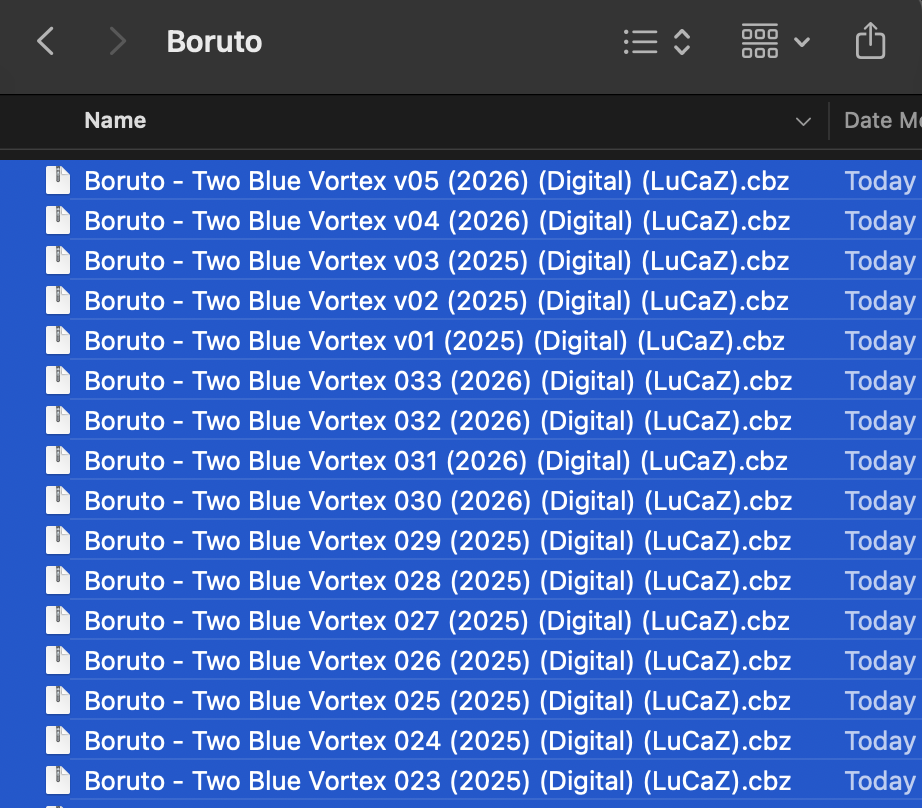
Some of my cbz file can't be imported, with no error or pop up that explain why it can't be imported. Please take a look a this issue.
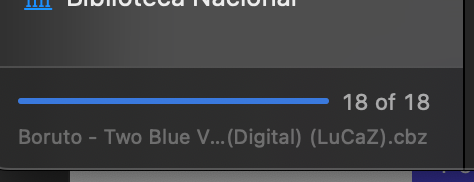
It's just loading, and then nothing happens. From 18 files, only one successfully imported
Some of my cbz file can't be imported, with no error or pop up that explain why it can't be imported. Please take a look a this issue.
It's just loading, and then nothing happens. From 18 files, only one successfully imported
10 comments
Thanks for reporting this! I'm looking into it.
A few questions that would help narrow down the cause:
If importing one-by-one works but batch doesn't, that's a different problem than if individual files also fail -- so #3 is especially useful.
Thanks for the screenshots, they're very helpful!
note :
just checked my volume 1 boruto manga (cbz) compared with other volumes (cbz file), it appears that the cbz file is not an issue here
i'm extracting the cbz file for each volumes repsectively and inspect the pages inside, it's working fine
update :
just update to the latest bookshelves version in app store (Version 1.0.28 (233) 23826a7ed), issue persists. Hope it helps
Thanks
Thanks for the detailed follow-up, that's really helpful.
Based on your description (same source, 17 fail identically, 1 works, contents are fine when extracted), the most likely cause is that the failing files are in ZIP64 format. Many tools (7-Zip, WinRAR, modern Archive Utility) produce ZIP64 archives by default, and the app currently doesn't support that format for CBZ files. The one volume that worked was probably created with slightly different settings.
You can check by running this in Terminal:
If it says "Zip64" anywhere, that confirms it.
A couple of other things that could cause it:
Could you share one of the failing CBZ files so I can confirm the exact cause? You can email it to support@getbookshelves.app or share a download link. That way I can make sure the fix covers your files.
I'm working on adding ZIP64 support and better error messaging so failed imports tell you why instead of failing silently.
i do think it's not zip64 (checking it with cli). Because i can't attach image anymore, i'll emailed you with the details
update : i'm attaching the file i'm using too. Hope that helps
Thanks for the support!
Thanks for sending the files and the terminal output -- that confirmed the archives are perfectly valid ZIP files, no issues with the format at all.
The problem was in our duplicate detection. When you import "Boruto - Two Blue Vortex 021", the app was normalizing the title by stripping everything after " - " (treating it as a subtitle separator). So all 18 volumes got reduced to just "Boruto" internally, and the app thought volumes 2-18 were duplicates of volume 1.
We've fixed this by removing the fuzzy title matching entirely. Duplicate detection now uses reliable signals only: ISBN, exact title match, and file content hash. This will be in the next update.
In the meantime, you can work around it by deleting the one imported volume and re-importing all 18 after the update ships. Thanks for your patience in tracking this down!
I see, thanks for looking it up. In the meantime, while waiting for your update, how can i do a work-around on this issue? i need to continue reading it. LOL
edit :
i got it now, waiting for your update then